Physical heat, pressure, and motion reach a robot as electrical signals from sensors. Those readings help it decide what is near, what it is touching, and how its body is moving.
The same basic process appears in robot arms, mobile robots, inspection machines, and autonomous systems. The sensor type changes with the task, but the path stays familiar: measure, filter, compare, act.
- Heat: infrared cameras and thermistors turn temperature into data.
- Pressure: force sensors measure contact at grippers, feet, or bumpers.
- Motion: encoders, inertial sensors, cameras, and LiDAR track movement.
How robots read heat
Most robots detect heat through infrared sensing. An infrared camera reads radiation from surfaces and turns it into a temperature map. A hot motor, warm person, or damaged electrical part can then appear as a different area in that map.
One narrower approach uses a thermistor. Its electrical resistance changes as temperature changes, so a robot can place one on a battery, motor, or circuit board and watch that part directly. This works well when the robot needs a warning about one component rather than a view of the whole room.
The reading still needs context. A shiny metal surface can reflect infrared radiation from another object, and airflow can cool one side of a motor. Seeing a hot patch means the robot has found a signal, not yet the cause.
A robot also needs to know when something presses against its body or gripper. Robot24.com robotics coverage gives you named machines and test settings to compare with a pressure-sensor claim before the next section explains how force becomes data.
How pressure becomes a robot signal
Pressure sensing starts with force. A load cell measures force through a small change in its structure, often using strain gauges. The gauge changes its electrical resistance as the structure bends, and the robot reads that change through its control system.
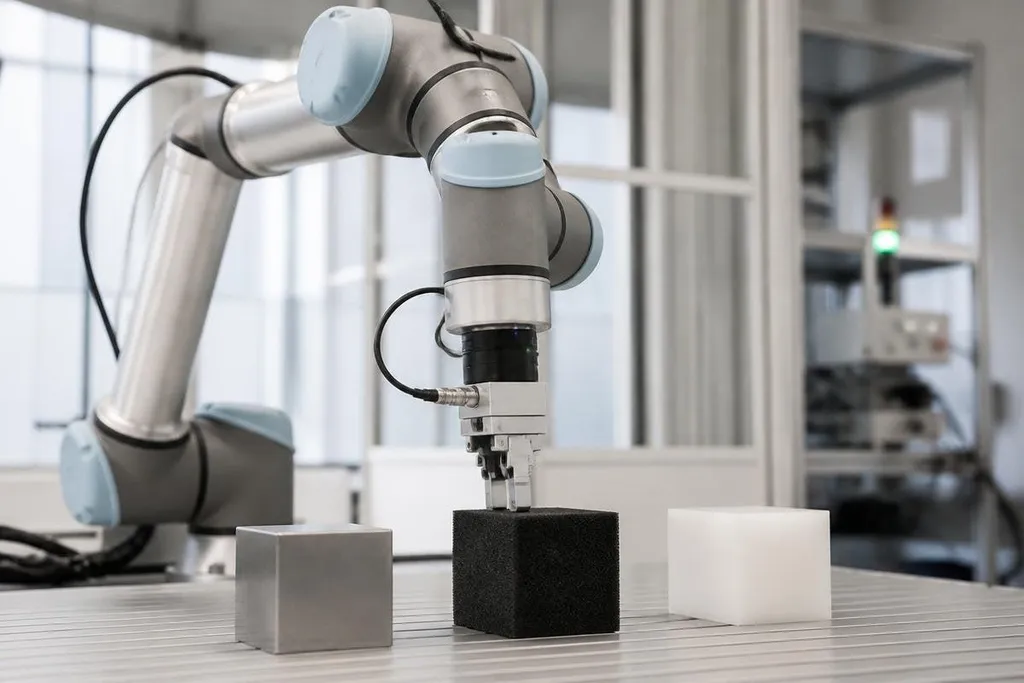
A gripper can use force sensors to tell whether it has touched an object and how hard it is holding it. That signal can stop the fingers from closing further, reduce damage to a fragile part, or show that an object has slipped.
Robot feet use related ideas. A force sensor under a foot can report how weight is spread across the contact area. The controller can use that data to adjust balance while the robot walks. Bumpers and tactile sensors give a simpler result: contact happened here.
Pressure readings are not the same as a full sense of touch. A sensor may report force at one point while missing the shape, texture, or movement of the object. A gripper needs several sensing points, a camera, or a known object model to build a better picture.
How robots track motion
Motors often include rotary encoders. An encoder reports how far a motor shaft has turned, which lets the controller estimate the position of a joint. The robot can compare that position with the movement it was told to make.
An inertial measurement unit, or IMU, adds acceleration and rotation data. It contains sensors that track changes in motion along several axes. A mobile robot can combine those readings with wheel movement to estimate its speed and direction.
Cameras and LiDAR add information about the outside world.
A camera finds visual features such as corners or edges. LiDAR sends light pulses and measures their return time, building distance data around the robot. Software can combine that data with encoder and IMU readings to estimate where the robot is.
Each sensor has a weak spot. Wheels can slip, cameras lose detail in poor light, LiDAR can struggle with some surfaces, and IMUs drift over time. The controller compares several signals instead of trusting one reading forever.
Turning readings into action
Sensor data arrives with noise. A vibration can look like motion, a reflection can look like heat, and a sudden contact can create a short force spike. Filters reduce those errors, while control software checks whether the reading fits the robot's current state.
Timing matters too. A pressure signal that arrives late can make a gripper squeeze after the object has already moved. A delayed motion estimate can send a mobile robot toward an obstacle. The sensor, wiring, computer, and motor controller must work as one timed system.
I'd trust a robot's motion estimate only after its sensor data has been checked against the task it must perform.
A practical sensor checklist
Before choosing a sensor system, check these points:
- Target: decide whether the robot needs temperature, contact force, position, speed, or distance.
- Range: confirm the nearest and farthest readings the sensor can make.
- Surface: test metal, glass, dark material, and soft objects when those appear in the work area.
- Timing: measure how long the signal takes to reach the controller and trigger an action.
- Failure case: plan what the robot does when a sensor is blocked, noisy, or disconnected.
A robot detects heat, pressure, and motion by turning physical change into a signal it can compare with a task. The open question for any system is not whether it has sensors, but whether those readings stay reliable when the work stops looking like the test setup.